Contact
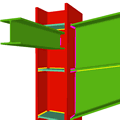


The module Joints I. Welded. Warehouses with rolled and welded steel I sections allows CYPECAD, CYPE 3D and Integrated 3D structures of CYPECAD to carry out an automatic analysis and design of I section welded connections (including baseplates) displayed in the Types of implemented welded connections and for the codes indicated in the Implemented design codes for welded joints.
Implemented design codes for welded joints
The following codes have been implemented in CYPECAD, CYPE 3D and Integrated 3D structures of CYPECAD for the design of welded joints:
- ABNT NBR 8800 (Brazil)
- ABNT NBR 8800:2008 (Brazil)
- ANSI/AISC 360-05 (LRFD) (USA - International)
- ANSI/AISC 360-10 (LRFD) (USA - International)
- CTE DB SE-A (Spain)
- EAE (Spain)
- Eurocode 3 EN 1993-1-8:2005 (General Document)
- Eurocode 3 NF EN 1993-1-8/NA:2007-07 (With National Application Document for France)
- Eurocode 3 NP EN 1993-1-8:2005/NA:2010 (With National Application Document for Portugal)
- Eurocode 3 UNI EN 1993-1-8:2005 (General Document adapted to Italy)
- IS 800:2007 (India)
- NTC: 14-01-2008 (Italy)
The corrections carried out by the European Committee for Standardization on Eurocode 3 (EN 1993-1-8:2005 / AC:2009) have also been implemented.
Types of implemented welded connections
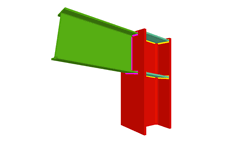 Column to beam welded moment connection (at last span of column) |
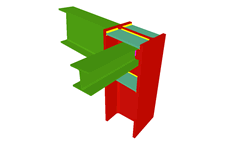 Column to beam welded moment connection with simply connected orthogonal beam (at last span of column) |
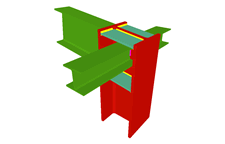 Column to beam welded moment connection with two simply connected orthogonal beams (at last span of column) |
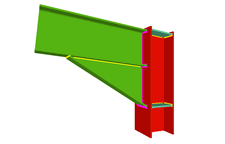 Column to beam welded moment connection with haunch (at last span of column) |
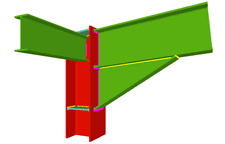 Column to beam welded moment connection with haunch and simply connected orthogonal beam (at last span of column) |
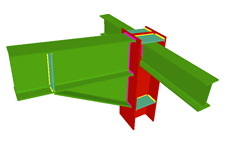 Column to beam welded moment connection with haunch and two simply connected orthogonal beams (at last span of column) |
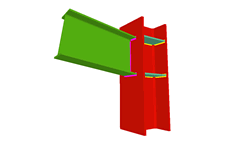 Column to beam welded moment connection (continuous column) |
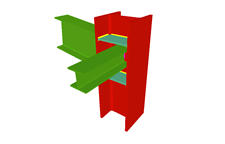 Column to beam welded moment connection with simply connected orthogonal beam (continuous column) |
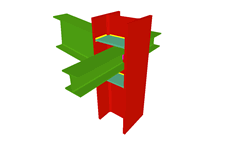 Column to beam welded moment connection with two simply connected orthogonal beams (continuous column) |
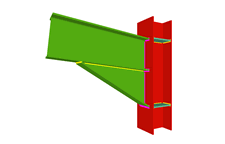 Column to beam moment connection with haunch (continuous column) |
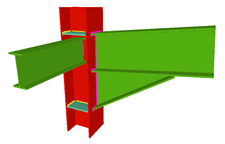 Column to beam welded moment connection with haunch and simply connected orthogonal beam (continuous column) |
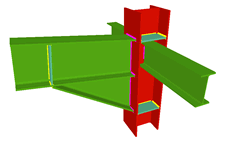 Column to beam welded moment connection with haunch and two simply connected orthogonal beams (continuous column) |
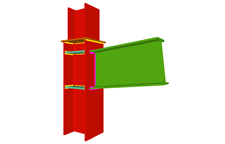 Beam to column flange welded moment connection (at column transition) |
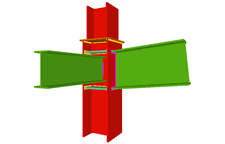 Beam to column flange welded moment connection (at column transition) with simply connected orthogonal beam |
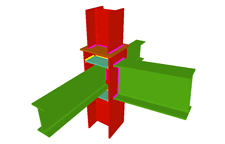 Beam to column flange welded moment connection (at column transition) with two simply connected orthogonal beams |
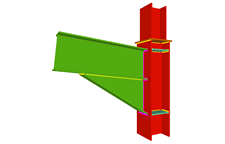 Beam to column flange welded moment connection with haunch (at column transition) |
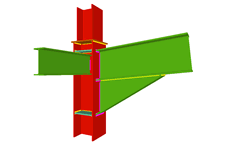 Beam to column flange welded moment connection with haunch and simply connected orthogonal beam (at column transition) |
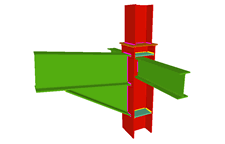 Beam to column flange welded moment connection with haunch and two simply connected orthogonal beams (at column transition) |
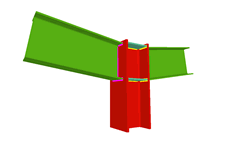 Column to two beam welded moment connection (at last span of column) |
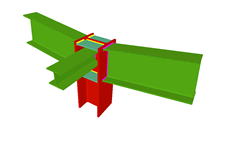 Column to two beam welded moment connection with simply connected orthogonal beam (at last span of column) |
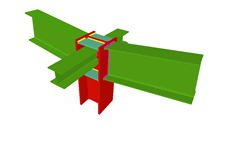 Column to two beam welded moment connection with two simply connected orthogonal beams (at last span of column) |
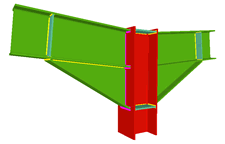 Column to two beam welded moment connection with haunches (at last span of column) |
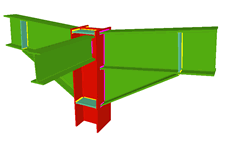 Column to two beam welded moment connection with haunches and simply connected orthogonal beam (at last span of column) |
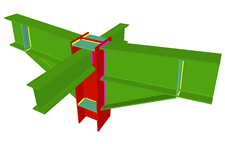 Column to two beam welded moment connection with haunches and two simply connected orthogonal beams (at last span of column) |
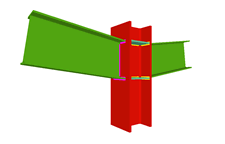 Column to two beam welded moment connection (continuous column) |
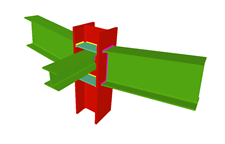 Column to two beam welded moment connection with simply connected orthogonal beam (continuous column) |
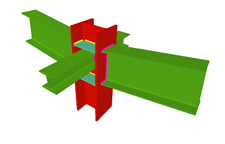 Column to two beam welded moment connection with two simply connected orthogonal beams (continuous column) |
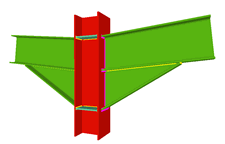 Column to two beam welded moment connection with haunches (continuous column) |
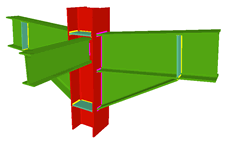 Column to two beam welded moment connection with haunches and simply connected orthogonal beam (continuous column) |
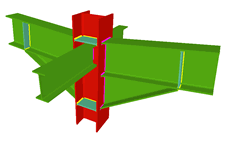 Column to two beam welded moment connection with haunches and two simply connected orthogonal beams (continuous column) |
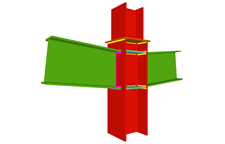 Two beam to column flange welded moment connections (at column transition) |
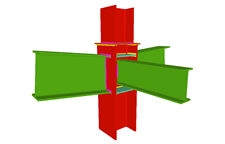 Two beam to column flange welded moment connections (at column transition) with simply connected orthogonal beam |
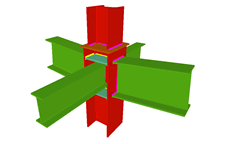 Two beam to column flange welded moment connections (at column transition) with two simply connected orthogonal beams |
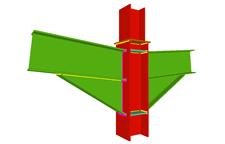 Column to two beam welded moment connection with haunches (at column transition) |
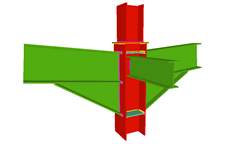 Column to two beam welded moment connection with haunches and a simply connected orthogonal beam (at column transition) |
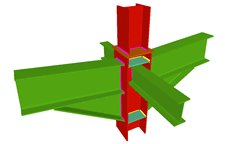 Column to two beam welded moment connection with haunches and two simply connected orthogonal beams (at column transition) |
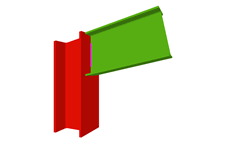 Column to beam welded simple connection (at last span of column) |
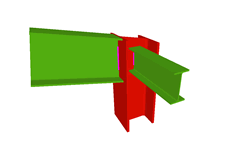 Column to beam welded simple connection with simply connected orthogonal beam (at last span of column) |
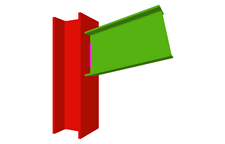 Column to beam welded simple connection (continuous column) |
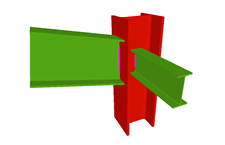 Column to beam welded simple connection with simply connected orthogonal beam (continuous column) |
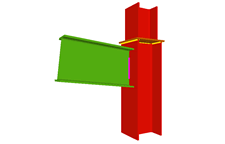 Column to beam welded simple connection (at column transition) |
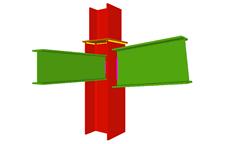 Column to beam welded simple connection with simply connected orthogonal beam (at column transition) |
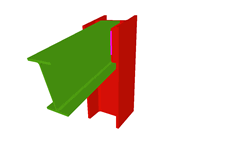 Beam to column web welded simple connection (at last span of column) |
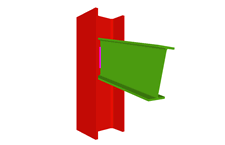 Beam to column web welded simple connection (continuous column) |
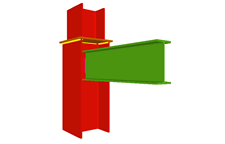 Column web to beam welded simple connection (at column transition) |
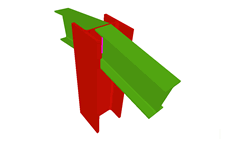 Two beam to column web welded simple connections (at last span of column) |
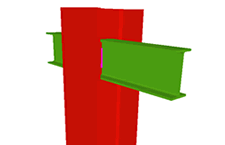 Two beam to column web welded simple connections (continuous column) |
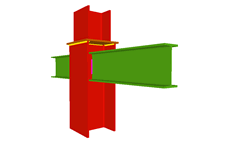 Column web to two beam welded simple connection (at column transition) |
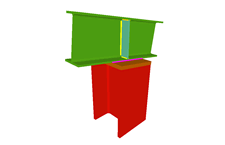 Continuous beam supported by column |
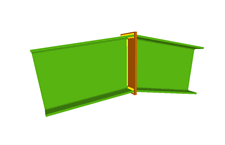 Ridge connection |
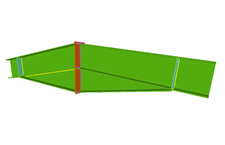 Ridge connection with haunches |
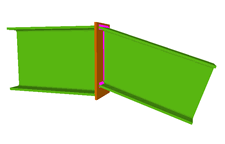 Horizontal beam to inclined beam (ascending or descending) welded connection |
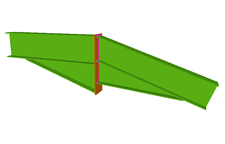 Horizontal beam to inclined beam (ascending or descending) welded connection with haunches |
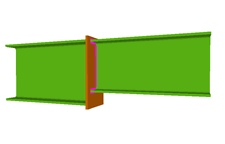 Splice connection of continuous equal or different sections with plate |
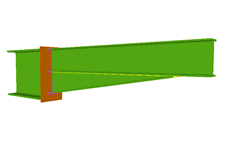 Splice connection of continuous equal or different sections with plate and haunches |
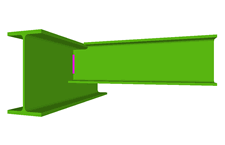 Beam to beam welded simple connection |
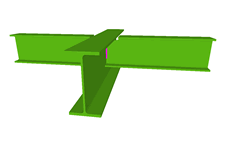 Beam to two beam welded simple connection |
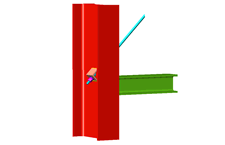 Tie detail |
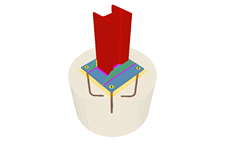 Baseplate on pad footings, pile caps and mat foundations (with CYPE 3D and Integrated 3D structures) |
(1) Joints with continuous columns can only be introduced in CYPE 3D and in Integrated 3D structures of CYPECAD. In CYPECAD, only columns in transition or ends of columns can have this joint.
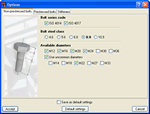
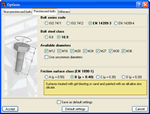
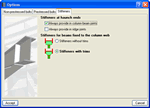
The design options for welded and bolted connections may be configured in the Options menu (Joints > Options). This dialogue box can be accessed via the following menu options:
- In CYPECAD and its Integrated 3D structures:
- Beam Definition tab > Job > Joint analysis options
- Results tab > Joints > Joint analysis options
- In CYPE 3D:
- Joints > Options
This dialogue box contains three tabs:
- Non-prestressed bolts
Contains the design options for non-prestressed bolts (Bolt series code, Bolt steel class and Available diameters). Options selected here will only affect bolted connection design. - Prestressed bolts
Contains the design options for prestressed bolts (Bolt series code, Bolt steel class, Available diameters and Friction surface class). Additionally, the type of friction surface must be indicated to check the bolt for slipping. Within this dialogue, the program also defines the properties of the selected surface in accordance with the article of the selected code. Options selected here will only affect bolted connection design. - Stiffeners
Contains two option groups which configure the layout of the stiffeners: - Stiffeners at haunch ends
Contains two options which when activated force the program to always provide stiffeners, one in column to beam connections and the other in ridge connections. Affects welded connections designed with the Joints I module and bolted connections designed with the Joints II module.
Regardless of whether this option is activated or not, the program always provides stiffeners at the ends of the haunches if the design requires their presence. - Stiffeners for beams fixed to the column web
Activates the trimming of stiffeners for beams fixed to column webs. It only affects welded connections designed with the Joints III module and bolted connections using the Joints IV module (the other modules do not contemplate connections consisting of beams fixed to column webs).
This option does not imply changes in the structural check but only takes into account aspects related to the aesthetics and with the number of trimming operations undertaken in the fabrication process. Upon activating the trimming option, it will be carried out if the following conditions are met: - The smallest side of the trim has to be greater than 10mm.
- The angle formed between the inclined side of the trim and the plane perpendicular to the web has to be greater than 15 degrees.
If during the analysis process of the structure, nodes are detected whose connection has been resolved in the program, they will be designed and a detail drawing of these designs will be provided, as well as their 3D views, check and take-off reports.
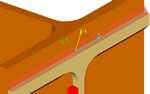
The program will design the throat thicknesses of the welds and their lengths and will incorporate
stiffeners where necessary in order to transmit the stresses in the connection.
The forces transmitted to the weld per unit length are resolved to obtain the tensile forces
normal and at a tangent to the plane of the throat, supposing that the tensile forces are
uniform along the weld.
When welded or bolted connections are designed, or when the structure is analysed together with the joints, the program carries out, at each node of the job, the spatial layout of the bars and its fixity conditions in such a way that, for steel bars, the dimensions of the nodes are established and generates the rigid ends in which the portions of the bars are considered to not deform due to them being contained within the node.
Following the analysis, the joints that have been designed by the program can be consulted.
CYPE 3D and CYPECAD place different coloured circles at the nodes to indicate whether or not all the connections of the node have been designed, if there are only a few that have been designed or if the node does not contain any designed connections.
If the cursor is brought close to a node in which there are connections that have been designed, an information window will appear indicating the types of connections designed for that node. By clicking on the node a dialogue box with three tabs is displayed containing the following information:
- The construction details of the resolved connections
- A report of the checks and take-off of the resolved connections
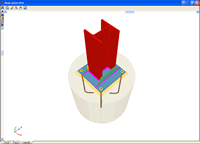
- Real 3D views of the connections. It is possible to visualise a 3D view of each connection designed by the program with an isometric or conical perspective. The elements making up the joint (columns, beams, stiffeners, welds) are drawn in different colours. Welds are represented in two colours to differentiate between those that are carried out in-situ and those that are factory welds. The user may also freely rotate and amplify the 3D view. These characteristics greatly help the user to understand the assembly of the joint. The 3D view of the joints can be visualised by selecting the 3D view tab that appears in the bottom part of the window that is activated upon consulting the joint.
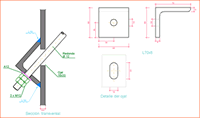
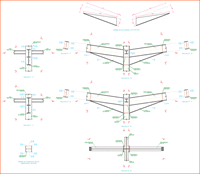
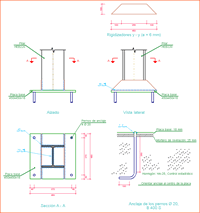
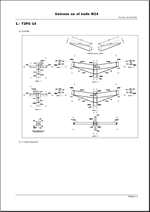
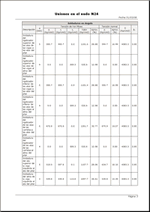
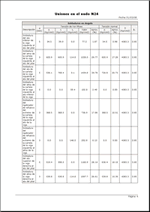
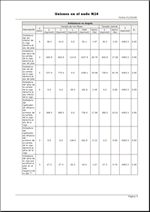
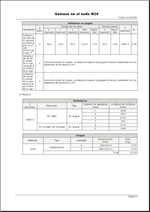
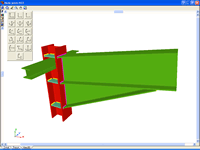
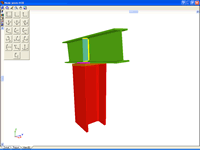
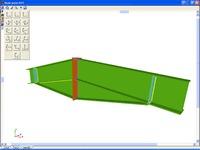
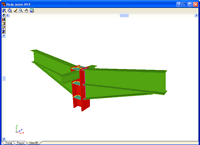
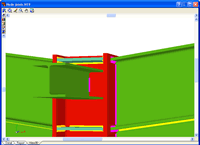
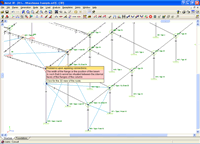
If the cursor is brought close to a node in which there are no designed connections, but belongs to one of the connections recognised by the program, a window appears informing of the causes that have prevented that joint from being designed.
Even if the user license has not acquired the joints modules, the program allows the user to activate the joint design process. Once the process has concluded, the user can see the 3D views of the joints that could be resolved with the non-acquired modules, even though neither the joint details, check reports nor take-off reports are displayed. When the cursor is placed over one of these nodes, a warning appears indicating the non-acquired modules used to design the joint.
Baseplates designed using the Joints I module
The Joints I. Warehouses with rolled and welded steel I sections moduledesigns baseplates on footings, pile caps and slabs.
The Joints I module also designs the baseplate connection points of integrated 3D structures, if these are located on footings, pile caps, slabs, shear walls, walls, concrete columns or beams (in the case of these last four elements, they are designed if no other steel beams or steel bars of the integrated 3D structures connect at that node).
The properties of the designed baseplates include:
- Baseplate types: Baseplates for rolled steel and welded I sections are designed.
- Welds: Includes the analysis and design of the welds between the plate, stiffeners, column and bolts.
- Automatic match: Automatically matches all the baseplates of a job (bearing in mind the section type, forces and exterior fixities). This way, and without the user having to intervene, the number of different types of baseplates is reduced, hence obtaining more uniform results.
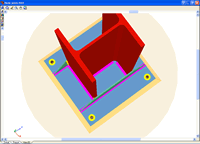
- 3D View with highlighted elements and welds: It is possible to obtain a 3D view on screen whereby the baseplate, column, stiffeners, bolts, factory welds and insitu welds are displayed in different colours, in a similar manner as to how joints are represented between I sections. This has been incorporated to help the user understand how the support is to be assembled.
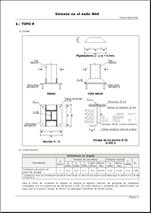
- Baseplate layout: A layout diagram of the baseplate is generated in which the details of the designed welds and stiffeners are displayed. This layout diagram can be included in the job drawings.
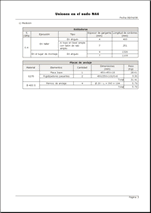
- Takeoff and code check reports: Takeoff and code check reports are generated of baseplates that have been resolved. These are integrated with the rest of joints that have been designed.
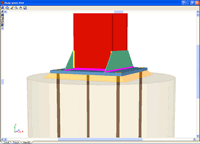
More information on baseplate design can be found in the Baseplate section of CYPE 3D.
- Baseplates designed using the Joints I, Joints II, Joints III and Joints IV modules
- Baseplates designed using the baseplates module
- Design options for baseplates
- Baseplate checks
CYPE 3D and CYPECAD generate a joints report with the following data:
- Welded connections and specifications
- Code
- Materials
- Construction layout
- Checks
- References and symbols
- Baseplate checks
- Relationship of the designed joints
- Calculations
- Construction detail of each type of joint
- Description of the components of each type of joint
- Check results of each type of connection
- Weld and plate take-off for each connection type
- Complete take-off of welds and plates of the designed joints
The construction details of the joints designed by the program can form part of the drawings of the structure. The Joints drawings include the following elements:
- Construction detail of the joint
- Schedule with specifications of the welds in steel structures
- Code
- Materials
- Construction layout
- Checks
- Reference and symbols table
- Complete take-off of welds and plates of the designed joints
CYPE 3D modules:
CYPECAD modules:
- Steel columns
- Steel beams
- Joist floor slabs (generic concrete joists)
- Joist floor slabs (in-situ, precast and steel)
- Timber joist floor slabs
- Waffle slabs
- Flat slabs
- Punching shear verification (Also operates as an independent program)
- Composite slabs
- Hollow core slabs
- Post-tensioned concrete slabs for buildings
- Shear walls
- Reinforced concrete walls
- Plane stress walls
- Stairs
- Mat foundations and foundation beams
- Concrete block walls
- Interaction of the structure with the construction elements
- Automatic job introduction: DXF, DWG and CAD/BIM models
- Collective protection systems
Modules common to CYPECAD and CYPE 3D:
- Concrete columns
- Composite steel and concrete columns
- Concrete beams
- Timber sections
- Pile caps (includes strap and tie beams)
- Baseplates
- Footings (pad and strip) (includes strap and tie beams)
- Advanced design of surface foundations
- Fire resistance check
- Parallel analysis with two multiprocessors
- Parallel analysis with up to eight processors
- Joints I. Welded. Warehouses with rolled and welded steel I sections
- Joints II. Bolted. Warehouses with rolled and welded steel I sections
- Joints III. Welded. Building frames with rolled and welded steel I sections
- Joints IV. Bolted. Building frames with rolled and welded steel I sections
- Joints V. Flat trusses with hollow structural sections
- Export to Tekla
Tel. USA (+1) 202 569 8902 // UK (+44) 20 3608 1448 // Spain (+34) 965 922 550 - Fax (+34) 965 124 950